 enCAST.pro
The ChatBot
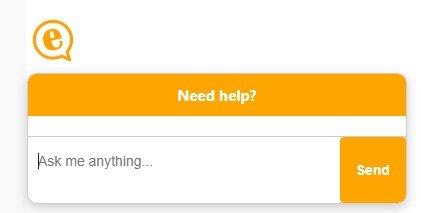
The orange chat bubble in the corner of every page is the enCAST help assistant. It answers questions about using enCAST (profiles, photos, castings, subscriptions and so on) instantly, at any time of day. It is an automated assistant (an AI), not a person.
What it can do #
- Answer questions about enCAST. Its answers come from the official enCAST help pages, the same pages you can read yourself. It is not allowed to guess or make things up: if our help content doesn't cover your question, it will say so.
- Explain your own account (when you're signed in). Signed-in members can ask things like why can't I apply to castings? or how do I rank higher in the search? and get an answer based on their actual account: subscription, photos, settings and so on - not generic advice.
- Pass questions to the enCAST team. If it can't answer, it will offer to send your question to our team. This only happens if you say yes. The team's answer is emailed to you. Signed-in members receive it at their account email address; visitors can leave an email address for the reply, or choose not to.
- Remember your previous conversations. If you're signed in, the assistant remembers what you've discussed before, even weeks later and on a different device, so you don't have to explain your situation from scratch each time.
How it works #
When you ask a question, the assistant searches the enCAST help pages for the most relevant information and writes its answer from that. For common questions it may give a stored, pre-checked answer instantly. If you're signed in and your question is about your own account, it can securely look up your own profile details (and only yours) to answer specifically.
Answers are generated using trusted AI providers (Anthropic and OpenAI). Your messages are processed by these providers to produce the answer, and are not used by them to train their models.
Privacy: what we store and why #
- Your conversations are saved. We keep a record of chat questions and answers, linked to your account when you're signed in (or to your browsing session if not), together with technical details such as your IP address. We use this to answer you in context, to improve the help content, and to follow up on questions you ask us to pass on.
- The enCAST team can read chats. Real people at enCAST may review conversations, for example to answer a question the assistant couldn't, to investigate a problem you've reported, or to improve the assistant. Please treat the chat like any other message to enCAST: never type your password, payment card numbers, or other sensitive personal information into it.
- Signed-in memory. For signed-in members, the assistant keeps a short summary of past conversations (what you asked about and how it was resolved) so it can help you better next time. Visitors who aren't signed in have no cross-visit memory, only the current session.
- On shared computers. The conversation shown in the chat window is cleared from the browser automatically when you log out or when someone else logs in, so the next person at the computer can't read it.
- Your account data stays yours. When the assistant looks up account details to answer you, it can only ever access the account you are signed in to. Answers based on your personal details are never shown to anyone else.
Rating answers #
Under each reply you'll see 👍 and 👎 buttons. Please use them. A thumbs-down goes straight to the enCAST team and is one of the main ways the assistant gets better.
Good to know #
- Short, specific questions work best: how do I add a showreel? rather than a long paragraph.
- There's a fair-use limit on how many messages you can send per minute and per day.
- Something wrong or odd? Use 👎, or contact us.


Questions about this page?
If something here is unclear or out of date, let us know through our contact page.