 enCAST.pro
Can I use a Smartphone for my Headshot?
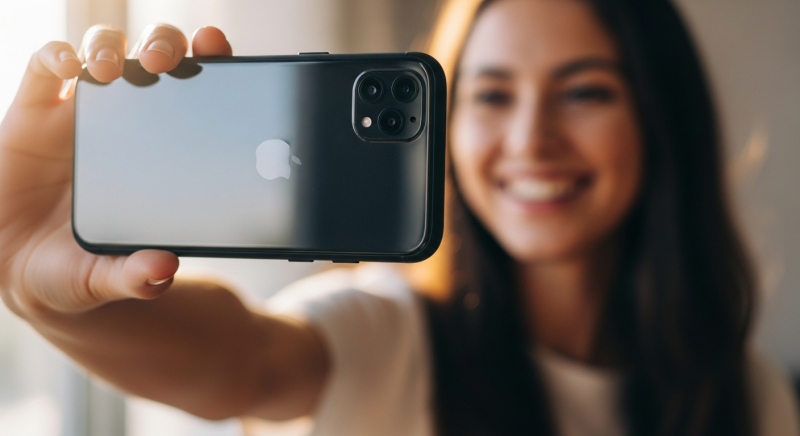
If you are just starting out as an actor and you do not have professional headshots yet, you may be wondering if you can use a smartphone to take your headshot.
The bottom line is this: yes, you can use a smartphone, but only as a temporary solution to get you started.
For any serious casting work, you will eventually need professional headshots. In the meantime, there are some important rules you need to follow to make sure your smartphone photo looks good enough to use on your profile.
This guide will show you how to take a decent headshot with a smartphone so you can start applying for castings right away.
This Is Not a Selfie #
Let us be very clear about this: a selfie is not a headshot. A selfie taken with your front camera, with your arm stretched out, will not work. It will look distorted, unprofessional, and casting directors will not take it seriously.
You need someone else to take the photo for you. Ask a friend, a family member, or anyone who can hold a phone steady. They should stand about 1.5 to 2 metres away from you and use the rear camera of the phone, not the front-facing camera. The rear camera has a much better lens and will produce a sharper, more natural-looking image.
Lighting Is Everything #
The single most important thing about any headshot, whether taken on a smartphone or a professional camera, is the lighting. Bad lighting will ruin even the best photo.
Here is what you need to know:
Use natural light. The best and easiest light source is daylight. Stand near a large window or go outside on a cloudy day. Overcast skies produce soft, even light that is very flattering for faces. Avoid direct, harsh sunlight as it creates strong shadows under your eyes, nose, and chin.
Face the light. Your face should be turned towards the light source. If you are standing near a window, face the window. The light should fall evenly across your face without dark shadows on one side.
Avoid mixed lighting. Do not mix daylight with indoor lights. Turn off overhead lights and lamps if you are shooting near a window. Different light sources create different colour temperatures and your photo will look unnatural.
Never use the flash. The built-in flash on a smartphone is harsh and unflattering. It will flatten your face and create an unnatural look. Turn it off.
The best time to shoot outdoors is during the early morning or late afternoon when the light is softer. Midday sun from directly overhead creates unflattering shadows. If you must shoot in the middle of the day, find a shaded area, such as under a tree or beside a building, where the light is indirect and even.
The Background #
Keep it simple. Stand against a plain wall in white, light grey, or any neutral colour. Make sure the background is clean and uncluttered. No bookshelves, no posters, no other people, no mess. The casting director wants to see you, not your living room.
If you are shooting outdoors, find a simple background like a plain wall or a solid fence. Avoid busy street scenes or colourful graffiti. Anything that draws attention away from your face is a problem.
Blurred vegetation (a hedge or bushes) behind you often looks good.
What to Wear #
Wear something simple in a solid colour. Avoid bright patterns, logos, stripes, or anything that draws attention away from your face. A plain t-shirt or a simple top works well. Choose a colour that contrasts with the background. For example, if the wall is white, do not wear a white shirt.
Avoid hats, sunglasses, or heavy jewellery. Casting directors need to see your face clearly.
How to Frame the Shot #
A headshot is a photo of your face, closely cropped from the shoulders up. It is taken in portrait orientation (vertical, not horizontal). Here is what to remember:
Use the rear camera. As mentioned, the back camera on your smartphone is significantly better than the front camera.
Do not zoom in. Digital zoom reduces the quality of the image. Instead, have the person taking the photo step closer or further back to get the right framing.
Keep the camera at eye level. The phone should be held at the same height as your face, not looking up at you and not looking down. This creates the most natural and flattering angle.
Leave some space around your head and shoulders. It is easier to crop the image afterwards than to try to get the framing perfect in camera.
Keep the phone steady. Ask the person taking the photo to hold the phone with both hands, or even lean against a wall for stability. Any movement will create a blurry photo.
Look Like Yourself #
This is important: your headshot must look like you. Not a better version of you. Not a filtered version of you. You, as you are right now.
Do not use filters or heavy editing. Casting directors expect you to look like your photo when you walk into an audition. If your headshot does not match how you actually look, you are wasting everyone's time, including your own.
Keep makeup minimal and natural. If you wear makeup, keep it simple and close to how you would normally look. Men generally should not wear visible makeup unless it is part of their look.
Make sure your hair is how you normally wear it. If you have recently changed your hairstyle or colour, your headshot needs to reflect that.
Take Plenty of Photos #
One advantage of using a smartphone is that you can take as many photos as you like at no cost. Take at least 50 to 100 shots. Try different expressions: a natural smile, a serious look, a relaxed expression. Small changes in your expression can make a big difference.
Review them carefully on a larger screen if possible (a computer or tablet) rather than on the phone itself. Pick the ones where your eyes look engaged and your expression feels natural and relaxed.
When You Need Professional Headshots #
A smartphone headshot is fine to get your profile up and running, especially if you are brand new to acting and have not yet built up credits. However, you should understand that this is a temporary solution.
For any serious casting, such as feature films, television, commercials with major brands, or submissions to top casting directors, professional headshots are expected. Casting directors look at hundreds or even thousands of submissions for a single role. They make quick decisions based largely on headshots. A professional photographer who specialises in actor headshots knows how to use lighting, lenses, and direction to bring out your best qualities in a way that a smartphone simply cannot match.
Professional headshots do not have to be expensive. Look for a photographer in your area who works with actors. Many offer affordable packages, especially for beginners. It is one of the most worthwhile investments you can make in your acting career.
Quick Checklist #
Before you upload your smartphone headshot, check the following:
- Someone else took the photo (not a selfie)
- The rear camera was used
- Lighting is even and natural, with no harsh shadows
- The background is plain and uncluttered
- The photo is in portrait orientation (vertical)
- Your face is clearly visible and in focus
- No filters or heavy editing have been applied
- You look like yourself
- The image is high resolution and not blurry
Summary #
A smartphone headshot is a perfectly acceptable way to get started on enCAST if you do not yet have professional photos. Many actors begin this way. The key is to follow the rules above: good lighting, plain background, someone else taking the photo, and no selfies or filters.
But do not stop there. As soon as you can, invest in professional headshots. They will make a real difference to how casting directors see you, and they will open doors that a smartphone photo cannot.
If you need help with your profile photos or have any questions, get in touch with us at admin@encast.pro. We are happy to help.


Comments
No comments yet. Be the first to share your thoughts.
Log in to join the discussion.